
User's Guide


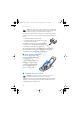
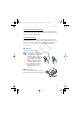
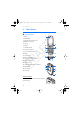
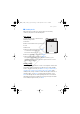
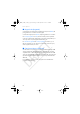
Table Of Contents
- Contents
- For your safety
- General information
- 1. Get started
- 2. Your phone
- 3. Call functions
- 4. Write text
- 5. Navigate the menus
- 6. Messaging
- 7. Contacts
- 8. Call log
- 9. Settings
- 10. Operator menu
- 11. Gallery
- 12. Media
- 13. Organizer
- 14. Push to talk
- 15. Applications
- 16. SIM services
- 17. Web
- 18. PC connectivity
- 19. Battery information
- 20. Technical Information
- Care and maintenance
- Additional safety information
- APPENDIX
- Index

Get started
14
D
RAFT
Warning: Use only batteries, chargers, and enhancements approved by
Nokia for use with this particular model. The use of any other types may
invalidate any approval or warranty, and may be dangerous.
For availability of approved enhancements, please check with your dealer. When
you disconnect the power cord of any enhancement, grasp and pull the plug, not
the cord.
1. Connect the charger to a wall socket.
2. Connect the lead from the charger to the socket
on the bottom of your phone.
If the battery is completely discharged, it may take a
few minutes before the charging indicator appears
on the display or before any calls can be made.
The charging time depends on the charger used. Charging a BL-4C
battery with the AC-3 charger takes approximately 2 hours and
20 minutes while the phone is in the standby mode.
■ Open and close the phone
To open the phone press the fold
release button (1). The fold opens
automatically (2).
To close the phone turn the fold
manually in its closed position.
To switch off a tone that sounds
when you open and close the
phone, see “Tones,” p. 54.
■ Switch the phone on and off
Warning: Do not switch the phone on when wireless phone use is
prohibited or when it may cause interference or danger.
To switch the phone on or off, press and hold the power key. See “Keys
and parts,” p. 16. If the phone asks for a PIN or a UPIN code, enter the
code (displayed as ****), and select OK.
FCC_6126H_6133H_en_1_FCC.fm Page 14 Tuesday, June 27, 2006 1:35 PM