
User Manual





Media
42
• Memory in use - Select where to store your muvees.
• Resolution - Select the resolution of your muvees.
• Default muvee name - Set a default name for the muvees.
Image mgr.
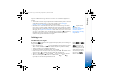
To browse your images visually, press and select Media→ Image mgr. See Fig. 8.
1 Press to select the memory: Phone or Memory card. Image manager also shows
how many folders or images are in the selected folder.
2 Open a folder to browse your images visually. Press and to move between
images and folders. Press to view an image.
• Press and simultaneously to mark images for an image show. A check mark
is shown next to a selected image. Select Options→ Image show. Press and
to view the next or previous image in the show.
Recorder
Press and select Media→ Recorder to record telephone conversations and voice
memos. If you are recording a telephone conversation, both parties will hear a tone every
five seconds during recording.
RealPlayer™
Press and select Media→ RealPlayer. With RealPlayer™, you can play video clips,
sound clips, and playlists, or stream media files over the air. A streaming link can be
activated when you are browsing Web pages, or it can be stored in the phone memory or
memory card.
RealPlayer supports files with the extensions such as .aac, .awb, .mid, .mp3 and
.wav.However, RealPlayer does not necessarily support all file formats or all the variations
Fig. 8 Images viewed in
Image manager.
R0915_en.book Page 42 Wednesday, September 15, 2004 12:14 PM