
User Manual





Camera and Gallery
38
Tip! You can transfer
images from your phone
to a compatible PC with
Nokia Phone Browser
available in Nokia PC
Suite. See the CD-ROM
supplied in the sales
package.
• To search for a file, select Options→ Find. Start to enter a search string (for example,
the name or date of the file you are searching). Files that match your search are shown.
Viewing images
Pictures taken with the Camera application are stored in the Gallery. Images can also be
sent to you in a multimedia message, as an e-mail attachment, or through Bluetooth. To
be able to view a received image in Gallery, you need to save it in the phone memory or on
a memory card.
•Open the Images folder in the Gallery to start the image viewer, select an image,
and press to view it.
Options when
viewing an image: Send,
Set as wallpaper, Rotate,
Zoom in / Zoom out, Full
screen, Delete, Rename,
View details, Add to 'Go
to', Help, and Exit.
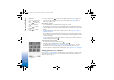
• To zoom an image, select Options→ Zoom in (or press ) or Zoom out (or press
). You can see the zooming ratio at the top of the display. The zooming ratio is
not stored permanently.
• To see more of the image, select Options→ Full screen (or press ). The panes
around the image are removed. To move the focus when you are zooming an image or
viewing an image in full screen mode, use the scroll key.
• To rotate the image, select Options→ Rotate (or press to rotate anticlockwise
and to rotate clockwise). Press and hold to return to the normal view.
R0915_en.book Page 38 Wednesday, September 15, 2004 12:14 PM