
User Manual





Contacts (Phonebook)
32
Options in the
Groups list view: Open,
New group, Delete,
Rename, Ringing tone,
Contacts info, Settings,
Help, and Exit.
Removing members from a group
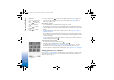
1 In the Groups list, open the group you want to modify.
2 Scroll to the contact, and select Options→ Remove from group.
3 Press Yes to remove the contact from the group.
Tip! To check to which groups a contact belongs, scroll to the contact, and select
Options→ Belongs to groups.
R0915_en.book Page 32 Wednesday, September 15, 2004 12:14 PM