
User Manual

Making calls
27
• To filter the log, select Options→ Filter. Scroll to a filter and press Select.
• To erase the contents of the log, Recent calls register, and Messaging delivery reports
permanently, select Options→ Clear log. Press Yes to confirm.
• To set the Log duration, go to Options→ Settings→ Log duration. The log events
remain in the phone memory for a set number of days after which they are
automatically erased to free memory. If you select No log, all the log contents, Recent
calls register, and Messaging delivery reports are permanently deleted.
Packet data counter and connection timer: To view how much data, measured in
kilobytes, has been transferred and how long a certain packet data connection has lasted,
scroll to an incoming or outgoing event with the access point icon and select
Options→ View details.
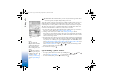
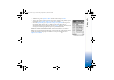
Fig. 5 General log of
communication events.
R0915_en.book Page 27 Wednesday, September 15, 2004 12:14 PM