
User Manual


Your phone
19
• saved images, videos, or sound files
• contact information
•calendar notes
• downloaded applications, see also ‘Application manager’, p. 108.
• any other data that you no longer need.
Memory card tool
Press and select Organiser→ Memory. You can use a memory card as extra storage
space. See Quick Start Guide, ‘Inserting the memory card’. You can also back up
information from phone memory and restore the information to the phone later.
You cannot use the memory card if the door of the memory card slot is open.
Keep all memory cards out of the reach of small children.
Do not open the memory card slot door in the middle of an operation. Opening the slot door
may damage the memory card as well as the device, and data stored on the card may be
corrupted.
Options in
Memory card: Backup
phone mem., Restore
from card, Format mem.
card, Memory card
name, Set password,
Change password,
Remove password,
Unlock memory card,
Memory details, Help,
and Exit.
Use only compatible Multimedia cards (MMC) with this device. Other memory cards, such
as Secure Digital (SD) cards, do not fit in the MMC card slot and are not compatible with
this device. Using an incompatible memory card may damage the memory card as well as
the device, and data stored on the incompatible card may be corrupted.
• To backup information from phone memory to a memory card, select Options→
Backup phone mem..
• To restore information from the memory card to the phone memory, select Options→
Restore from card.
• To set a password to protect your memory card against unauthorised use, select
Options→ Set password (up to 8 characters). The password is stored in your phone,
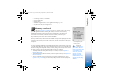
Fig. 3 Memory
consumption of the
memory card.
R0915_en.book Page 19 Wednesday, September 15, 2004 12:14 PM