
User Manual



12
[ 86 ]
Notification of received ringing tone
When your phone receives a ringing tone, it displays Ringing tone received.
Listen to received ringing tones
Note: If you press Exit at any time before saving the ringing tone,
the ringing tone will be deleted!
1 When your phone displays Ringing tone received, press Options.
Playback appears highlighted selected.
2 Press Select.
The phone plays the ringing tone.
Save received ringing tones
1 After listening to the ringing tone, press Quit.
Playback appears highlighted
2 Scroll to Save tone, then press Select.
The tone is saved to your list of ringing tones.
Discard received ringing tones
If you don’t want to save the ringing tone, press Exit without saving it, or
scroll to Discard, then press Select, confirm with OK.
• RESTORE FACTORY SETTINGS
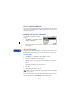
You can use Menu 4 9 (Settings > Restore factory settings) to reset
some of the phone settings to their original values. You must enter the
security code.
Caution: Restoring factory settings does not erase your phone book.
However, it does erase all customized settings you may have entered.