
User Manual




[ 69 ]
11
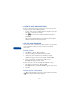
1 Place the call.
2 While in the call, press Options.
3 Scroll to Record, then press Select.
While you are recording, the screen
shows the amount of time left.
4 When you are finished, press Stop.
5 Recording saved appears on the screen, and the conversation is
automatically saved under the name “Recording.” You can edit the
name later.
Listen to or edit a memo
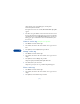
1 To listen to or edit a recorded memo, press Menu 7 2 2 (Tools > Voice
recorder > Recordings list), then press Select.
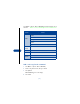
2 Scroll to one of the following options:
•Select Playback to listen to the memo.
•Select Edit title to change the name of a memo. Key in the new name
and press OK.
•Select Erase to delete the memo.
Set an alarm
You can set an alarm for a voice memo as a reminder to yourself.
Note: Voice memo alarms are played only when the phone is on.
There is no snooze function.
1 Press Menu 7 2 2 (Tools > Voice recorder > Recordings list).
2 Press Options. Scroll to Add alarm and press Select.
3 Enter the date and time for the alarm, then press OK.
Alarm added appears on the display.
Notes about voice memos
• You have about 180 seconds, but the maximum length of the memo