
User Manual



10
[ 54 ]
END THE ACTIVE CALL
Press .
The held call becomes active.
OR
1 Press Options and scroll to End call.
2 Press Select.
THIRD CALL WAITING
If you have both an active and a held call and a third call is waiting, follow
the following steps to answer the third call and end the other calls.
END THE ACTIVE CALL AND HELD CALL TO ANSWER THE WAITING CALL
1 Press Options.
2 Scroll to End all calls.
3 Press Select.
4 Press to answer the third call.
Use in-call options
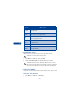
During a call, press Options to see the In-call menu. Your choices are:
Choice What it does
Hold Holds or releases a call.
New call Makes a call when you have a call in progress.
Touch tones Sends touch tones.
End call Ends current call.
Phone book Switches you to the phone book.
Menu Switches you to the menu.
Mute Mutes a call.
Record Allows you to record the active call. For more
information, see “Record a phone conversation”
on page 68.