
User Manual



3
[ 12 ]
• REMOVE THE BATTERY
Important: Switch off the phone before removing the battery.
Important: Do not puncture or burn the battery. Please recycle or
dispose of properly.
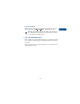
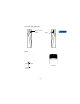
1 With the back of the phone facing you, press and hold the back cover
release button.
2 Slide the cover off.
3 Lift out the battery.
• SET UP YOUR HEADSET
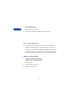
Your phone comes with a headset you
can use while talking on your phone.
The headset provides convenient
handsfree use of the phone.
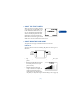
Connect the headset
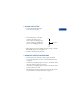
1 Plug the headset jack into the
bottom of your phone.
2 Put the round ear plug into one
ear.