
User Manual



[ 11 ]
3
• CHARGE THE BATTERY
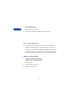
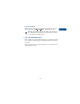
1 Connect the lead from the charger
to the bottom of the phone.
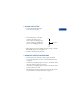
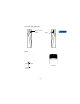
2 Connect the charger to a standard
wall outlet. The battery power
indicator (or battery bar) appears on
the screen and starts scrolling. If the
phone is on, Charging appears also.
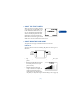
3 When the battery bar stops scrolling, the battery charge is complete.
Battery full appears also, if the phone is on.
4 Disconnect the charger from the phone.
• IMPORTANT BATTERY INFORMATION
• Recharge your battery only with a charger approved by Nokia.
• You can switch the phone on and use it for calls while the battery
is charging.
• If the battery is completely empty, it may take a few minutes before
the battery indicator appears on the screen.
• If the battery is completely empty, it may take a few minutes before
you can make or receive calls.
• The charging time depends on the charger and battery that you use.
For more details, see “Battery information” on page 148.
Battery bar