
User Manual



[ 113 ]
16
General guidelines for using the phone keys
• Use the scroll keys to browse the WAP site.
• To select a highlighted item, press .
• To enter letters and numbers, press the keys to .
• To enter special characters, press the key.
Examples of wireless Internet sites
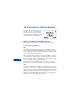
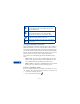
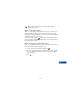
The following illustrations show most of the elements you may find on a
wireless Internet site. These are examples only.
Header line: shows the current
Internet site.
Inactive link: appears as an
underlined word.
Active link: appears as a highlighted word.
Use and to scroll through the list
of links.
Selection list: Brackets [ ] appear when
you have the option to enter
information.
Options: Press Options to go to the
site’s menu and/or browser page.
Back: Press Back to return to the previous page.
Data entry field: Brackets [ ] around
three dots appear when you need to
enter information. In this example, you
can enter your zip code to receive the
local weather forecast.