
User Manual



[ 105 ]
15
memory is full, the phone displays the message No space: message waiting.
You should delete one or more old messages to make room for the new
message. The network waits and resends the message at a later time.
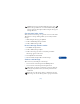
Note: The number of messages your phone can store in the inbox
and outbox may vary, depending on the SIM card.
• CHAT WITH OTHER PHONE USERS
You can have a conversation with another person using text messages.
Chat is designed for fast message sending through a connection between
the sender and receiver. You can start by using the Chat menu or by
selecting the Chat option while you’re reading a received message. Chat
is a network feature. Contact your service provider for more information.
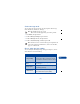
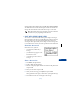
About the chat screen
On the chat screen, you’ll see:
• your chat name, followed by a
message
• your initial message appear at the
bottom of the screen
• each reply appear above the last
message
Start a chat session
1 Press Menu, then press Select.
2 Scroll to Chat, then press Select.
3 Enter the other party’s phone number or recall it from the phone book
and press OK.
4 Enter your chat name and press OK.
5 Write your chat message, press Options, then press Send.
The reply from the other party is shown above your original message.
6 Press OK to clear the screen and reply to the message.