
User Manual



[ 103 ]
15
The number of available characters appears in the top right corner of
the screen.
5 Once you have finished writing, press Options, then scroll to Send.
• READ TEXT MESSAGES
Read new text messages
When you receive a text message, the phone displays Message received
and the indicator, and makes a sound (depending on the “Message
alert tone”; see page 79).
To read the message now, press Show.
Read new text messages later
1 When you receive a text message, press Exit.
2 Later when you want to read the message, press Menu, then press Select.
3 Scroll to Inbox, then press Open.
A list of message headers is displayed. The icon in front of the
header indicates that a message has been read. The icon indicates
that a message has not yet been read.
4 Scroll to the message you want, then press Select.
5 If the message is long, use the scroll keys to scroll through the message.
Choose text message options
While reading or viewing a message, you can choose one of the following
options:
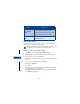
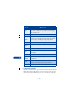
Choice What it does
Erase Allows you to delete the message.