
User Manual



[ 99 ]
15
Set the message mode
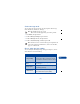
You can choose the type of message sent by your phone. The message
modes include Text, E-mail, Fax, and Page.
Note: The default message type is text.
This feature must be supported by your service provider.
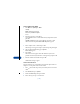
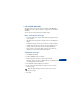
1 Press Menu, then press Select.
2 Scroll to Message settings, then press Select.
3 Scroll to Messages sent as, then press Select.
4 Scroll to Text, E-mail, Page, or Fax, then press OK.
Note: In order to receive a converted message, the recipient needs
to have the appropriate terminal device, such as a fax machine,
pager, or e-mail account.
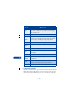
Choose other message settings
You can modify the following message settings (see Chapter 6, “List of
Menu Shortcuts” for menu numbers):
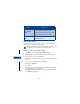
Choice What it does
Message validity
Describes the amount of time that your
message center will try to deliver a message.
You can choose a time from 1 hour to 1 week.
Default recipient
number
Allows you to specify a single recipient for all
your messages.
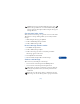
Delivery reports
Allows you to ask the network for a report
about message delivery.
Use GPRS ?????
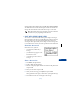
Allows you to send your messages via the
General Packet Radio System (GPRS).