
User Manual



[ 87 ]
12
• CHANGE XPRESS-ON™ COLOR COVERS
To personalize your Nokia 6590, you can change the front and back
covers. Nokia Xpress-on
TM
covers are available in several fashion colors.
Extra covers may be purchased from your authorized Nokia dealer.
Important: Always store the phone with the cover attached.
Important: Before changing the cover, always switch off the phone
and disconnect the phone from the charger or any other device.
Remove the back cover
1 With the back of the phone facing you, press and hold the back cover
release button.
2 Slide the cover off.
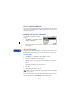
Remove the phone from the front cover
1 With the back of the phone
facing you, find the plastic
tabs on the bottom of the
phone.
2 Grasp the plastic tabs and
gently separate the phone
from the front cover.