
User Manual




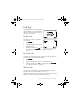
Table Of Contents
- Nokia 8890 User Guide
- Contents
- For Your Safety
- 1. Welcome
- 2. Before You Begin
- 3. About Your Phone
- 4. How to make and answer calls
- 5. The menu
- 6. Entering letters and numbers
- 7. Phone book
- 8. Voice Mail
- 9. Profiles
- 10. Advanced calling features
- 11. Customizing your phone
- 12. Security features
- 13. How to select a system
- 14. Text messages
- 15. Your Personal Digital Assistant
- 16. Your phone and other devices
- 17. Fun and games
- 18. Reference Information
- 19. Techical information
- 20. Troubleshooting
- 21. Frequently Asked Questions (FAQ)
- Nokia One-Year Limited Warranty

8890 User Guide v8 11/30/99 [ 27 ]
Entering letters and numbers
123 Mode
To enter numbers, you can:
• press and hold and switch to 123 Mode. Your phone displays the
icon. Press the appropriate number key to enter a number.
OR
• while in ABC mode, press and hold the corresponding number key until
the number appears.
As with the ABC mode, if you make a mistake, press
&MFBS
to erase that
character. To switch back to the ABC mode, press and hold again.
Using special characters in names and phone
numbers
In ABC Mode:
1 Press and hold . A screen appears with the following special
characters available:
. , ? ! : ; - + # * ( ) ‘ “ _ @ & $ £ % / < > ¿ ¡ § = ¤ j ¥
2 Use the scroll keys to select the character you want, then press
,OTFSU
.
In 123 Mode:
You can access the following special characters only in 123 Mode:
*
Use this character to send command strings to the network. Contact
your service provider for details.
+ Use this character as a prefix for dialing international telephone
numbers.
p Use this character to create a pause that occurs when dialing a
number. Numbers entered to the right of this special character are
automatically sent as touch tones after a 2.5 second pause.
w This character creates a wait; digits to the right of the
W
are not sent
until you press
8890ug.book Page 27 Tuesday, November 30, 1999 3:39 PM