
User Manual




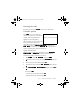
Table Of Contents
- Nokia 8890 User Guide
- Contents
- For Your Safety
- 1. Welcome
- 2. Before You Begin
- 3. About Your Phone
- 4. How to make and answer calls
- 5. The menu
- 6. Entering letters and numbers
- 7. Phone book
- 8. Voice Mail
- 9. Profiles
- 10. Advanced calling features
- 11. Customizing your phone
- 12. Security features
- 13. How to select a system
- 14. Text messages
- 15. Your Personal Digital Assistant
- 16. Your phone and other devices
- 17. Fun and games
- 18. Reference Information
- 19. Techical information
- 20. Troubleshooting
- 21. Frequently Asked Questions (FAQ)
- Nokia One-Year Limited Warranty

[ 92 ] 8890 User Guide v8 11/30/99
Entering the time
If needed, enter the time in
HHMM
format or in 24 hour format.
Calendar options
Press
0FOV
8 to see the current day’s
calendar screen. There are seven options
available with the Calendar feature.
Option 1: View day notes
This option allows you to view, erase, edit,
move, and send notes made for the
selected day. Use the scroll keys to scroll through notes. Options available
while viewing a note are
(RASE
,
(DIT
,
0OVE
(to another date),
6ENDNOTE
to send the note, and
6ENDVIA,5
to copy the note to
another compatible phone using the infrared port.
Option 2: Make note
With this option, you can choose from four note types:
5EMINDER
,
&ALL
,
0EETING
, or
%IRTHDAY
. Your phone asks you for more
information depending on which one you choose.
1 Press
2QUJPOT
, scroll to
0AKENOTE
, then press
6FMFDU
.
2 Scroll to the desired note type (for example,
5EMINDER
) and press
2.
.
3 Key in a subject for the reminder and press
2.
.
4 Enter the date for the reminder in
MMDDYYYY
format and press
2.
.
5 When
6ETANALARMFORTHENOTE"
appears, choose
<FT
or
1P
.
If you choose
<FT
• enter the date for the alarm, then press
2.
.
• Enter the time for the alarm, then press
2.
.
Calendar screen with note icon
8890ug.book Page 92 Tuesday, November 30, 1999 3:39 PM