
User Manual



7190 User Guide v0.043/15/99 [ 63 ]
Your personal assistant
Currency conversion
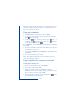
1 Once you have set the exchange rate, enter the amount to be
converted (press for decimal point).
2 Press
Options scroll to either To domestic or To foreign, and press OK.
The phone displays the converted amount.
Tip:If you selected
Foreign units in domestic units while
saving the exchange rate, select
To Domestic and if you selected
D
omestic units in foreign units select To foreign.
• Contact manager
You can use your phone’s internal phone book as a contact manager by
saving a person’s contact information (such as street address, e-mail
address etc.) along with their name. See “Saving several numbers with a
name” on page40.