
User's Guide


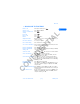


Table Of Contents
- 1 Safety first
- Road safety comes first
- Be aware of interference
- Switch off in hospitals
- Switch off in aircraft
- Switch off when refueling
- Switch off near blasting
- Use your phone sensibly
- Observe infrared precautions
- Use only qualified service personnel
- Use approved accessories and batteries
- Keep your phone dry
- Backup copies
- Connecting to other devices
- Read instructions before you connect to other devices
- Make calls
- Make emergency calls
- 2 Welcome
- 3 Review the basics
- 4 Set up your phone
- 5 Add information
- 6 Use the phone book
- 7 Check call history
- 8 Use advanced calling features
- 9 Use voice mail
- 10 Personalize rings and tones
- 11 Personalize phone settings
- 12 Manage phone security
- 13 Your personal digital assistant
- 14 Use prepaid services
- 15 Set network services features
- 16 Communicate with text messages
- • About text messages
- • Use folders for text messages
- • Write and send a text message
- • Resend a message from the outbox
- • Receive a text message
- • Read a text message
- • Save a message in the archive folder
- • When your phone’s memory is full
- • Erase messages
- • Reply to a message
- • Forward a message
- • Send and receive e-mail messages
- • Reply to or forward an e-mail message
- • Receive an e-mail message
- • Use templates
- • Picture messages
- • Chat with other phone users
- 17 Use special features
- 18 Infrared
- 19 Connect to the Internet
- 20 Play games
- 21 Frequently asked questions (FAQ)
- 22 Glossary
- 23 Reference information
- 24 NOKIA One-Year Limited Warranty
- 6360 .1_title(1).pdf

&21),'(17,$/
6360 User Guide Draft [ 5 ] 14 May 2001
Welcome
2
• QUICK GUIDE TO FUNCTIONS
Make a call Enter phone number, press
Answer a call Press
or
Answer
Answer a call with call
waiting
Press
End a call Press
Ignore a call Press
Redial Press twice
Adjust call volume During a call, press up or down on the side volume key to
adjust call volume.
Use the in-call menu In a call, press Options
Use 1-touch dialing Press and hold one of keys 2 through 9
Save a name and number Enter a number, press Options
and select Save, then enter
a name and press OK
Recall a name/number Press Names
,
select
Find
Recall a name/number
during a call
Press
Options
, scroll
New call
, press Select, press
Find
,
enter first letter of the name
Check voice mail Press and hold OR call your voice mailbox number
Send a text message Press
Menu
1-1. Write the message.
Press
Options
, scroll to
Send
, press Select, enter the
recipient’s number, press
OK
Send an E-mail message Press
Menu
1-2, enter the recipient’s E-mail address,
press OK, enter the subject, press OK, write the message,
press Options, select
Send e-mail
, enter the
Gateway
number
, press OK
Read new message Press
Show,
then press Select
Reply to a message Press Options, select
Reply
, select
As message
, choose a
reply option, write the reply, press Options, select
Send
,
then press OK
Reply to an E-mail messagePress
Options
, scroll to
Reply
, press OK, choose
As e-
mail
, press Select, then follow instructions for sending an
e-mail message
Send a business card Recall a name from the phone book, press
Details
, press
Options, select
Send bus. card
, select
SMS
, enter the
recipient’s number, press OK.