
User's Guide

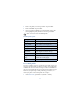
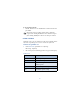
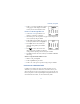
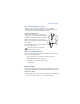
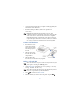
Table Of Contents

55
Customize your phone
8 Customize your phone
• SET THE DISPLAY LANGUAGE
1 At the Start screen, press Menu 4-4-1 (Settings - Phone
settings - Language).
After a brief pause English, Français, Español, or Portuguêse appear
in the display.
2 Scroll to the language of your choice and press Select.
Note: The Language setting affects the time and date formats of
the Clock, Alarm clock, and Calendar.
• PROFILES
You can pre-select how your phone behaves in different environments
using profiles. Each profile can be customized to your preference.
Select a profile
1 At the Start screen, press Menu 3-1 (Profiles - Normal).
2 Scroll through the following profiles. Press Select once your choice
is highlighted. Press Select again again at the next screen.
Tip: You can briefly press the power key to display the list of
profiles. Each press of the power key thereafter scrolls through the
list. Once a profile is highlighted, press and hold the power key to
select the profile.
Customize a profile
You can customize a profile’s ringing tone, name, and more.
1 At the Start screen, press Menu 3-1 (Profiles - Normal).
• Normal • Silent • Meeting • Outdoor • Pager