
User's Guide

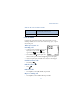






Table Of Contents

51
Advanced features
Found: <command> appears in the display and the command
is performed.
EXECUTE A VOICE COMMAND WITH THE HEADSET
After you’ve associated a voice tag with a command, you can execute a
voice command with the optional HDC-9P headset attached.
1 At the Start screen, press and hold the remote button on the headset.
The phone beeps and Please speak now appears in the display.
2 Pronounce the tag for one of the four available commands.
Found: <command> appears in the display and the command
is performed.
Tip: You can also engage voice command by pressing and holding
the down volume key on the side of the phone.
Change or erase an existing voice command tag
1 At the Start screen, press Menu 5-2 (Voice - Voice command).
2 After a brief pause, the list of voice commands appear in the display.
3 Scroll to the command with the tag you wish to modify and
press Select.
4 Scroll to Change or Erase and press Select.
a) If you selected Change, press Start, then record the new tag.
b) If you selected Erase, press OK and the selected tag is erased.
• VOICE RECORDER
The [Model] can record both voice memos and phone conversations. The
total of all recordings stored in your phone can’t exceed 3 minutes. If
you’re running out of memory and try to record, you’re asked to erase a
recording before proceeding.