
User Manual





5
Certain settings can only be made on your cell phone, for example, deactivating the keypad lock,
deactivating key clicks and warnings and activating display illumination.
The cell phone and hands free phone kit recognize each other automatically after authentication of the
Bluetooth
®
connection (password entry). Up to seven different Bluetooth
®
enabled cell phones can be
stored as recognized in the vehicle hands free phone kit. If an additional device is linked to the hands free
phone kit, authentication to the device that has not been used for the longest period of time is automat-
ically.
Note
● The pairing process as well as Bluetooth
®
settings in the hands free phone kit are only available when
the vehicle is not moving.
● Some Bluetooth
®
devices or adapters can be configured so that they connect automatically to the
hands free phone kit. To help prevent interference during the linking process, we recommend
switching off any Bluetooth
®
devices and adapters that are not required during the pairing process.
● When establishing a connection automatically through Bluetooth
®
, the hands free phone kit looks for
recognized devices within its operating range. If there should be several previously recognized cell
phones within Bluetooth
®
range, the device last connected is given priority. It does not necessarily
have to be the cell phone in the cradle for the recognition and connection to occur.
● Connecting a cell phone to a hands free phone kit makes the hands free phone kit invisible to other
Bluetooth
®
devices, i.e. other cell phones cannot be paired or connected to it. On most cell phones
a setting for the Bluetooth
®
devices “VW UHV” must be made to enable automatic reconnection.
● Ensure the Bluetooth
®
– Authorization required – setting on your cell phone is set to “NO” in order
to allow automatic reconnection. Please refer to the User's Guide of your cell phone manufacturer.
● When Bluetooth
®
devices have been paired or have “gotten to know” each other once, the
Bluetooth
®
setting “Visible to All” is no longer needed. The phone kit in your vehicle switches its
visibility off after the linking process. For privacy reasons, you should also deactivate the visibility of
your cell phone as appropriate.
● In some countries, there may be restrictions regarding the use of Bluetooth
®
devices. Local
authorities can provide you with the pertinent information.
Using the hands free phone kit
After a pairing process, the provision for a cell phone can be used as a convenient hands-free
telephone system.
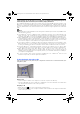
Multi-function steering wheel: Left side.
Placing a call
− Enter a telephone number on the cell phone or select an entry from the directory.
− Press the appropriate key on the cell phone to establish the connection. Read the User's Guide from
the cell phone manufacturer for the correct procedure.
Accepting a call
− Briefly press the button on the multi-function steering wheel.
− Press the appropriate key on the cell phone. Read the User's Guide from the cell phone manufacturer
for the correct procedure.
Freisprechanlage USA -US- Variante ESG.fm Seite 5 Mittwoch, 16. April 2008 2:49 14