
User Manual





4
Linking a Bluetooth
®
cell phone to the hands free phone kit
Compatible cell phones that support Bluetooth
®
wireless technology must undergo a one-
time initial pairing process before the cell phone can be used with the hands free phone kit.
The compatible Bluetooth
®
cell phone can be paired with the hands free phone kit via a Bluetooth
®
con-
nection. Settings on the cell phone will have to be made to enable the paring to take place. For example,
the hands free phone kit and the cell phone will have to exchange passwords. This “authentication” pro-
cess only has to be performed once.
Please note: The pairing process via Bluetooth
®
can only be carried out when the ignition is switched
on and the vehicle is not moving. Please consult your cell phone manufacturer's User's Guide for the cell
phone settings. If necessary, close all active Bluetooth
®
connections for the cell phone to be linked.
Making the hands free phone kit visible for Bluetooth
®
− Switch on the ignition.
− While the vehicle is stationary, the hands free phone kit is automatically visible for five minutes after
the ignition is switched on or
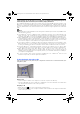
− Press the button ⇒ Fig. Page 5 on the multi-function steering wheel twice in quick succession
you will hear a beep over the vehicle's loudspeakers, confirming the hands free phone kit has entered
pairing mode. Once the hands free phone kit enters pairing mode.
− The cell phone and the hands free phone kit must be paired within approximately five minutes. The
Bluetooth
®
visibility of the hands free phone kit ends automatically after about five minutes.
Bluetooth
®
pairing process
− Switch the cell phone on.
− Activate the Bluetooth
®
function on the cell phone.
− If necessary, end all active Bluetooth
®
connections with the cell phone.
− As described in your cell phone User’s Guide, use your cell phone to search for available Bluetooth
®
devices. The cell phone has a list of Bluetooth
®
devices found.
− Select the device VW UHV.
− Confirm the Bluetooth
®
connection on the cell phone.
− Your cell phone will ask for a password.
− Enter the password 0000. If an incorrect password is entered, pairing is interrupted and you will have
to make the hands free phone kit visible to Bluetooth
®
again ⇒ page 4.
− Depending on your cell phone, you may be asked whether the Bluetooth
®
connection should be made
in the future without the need to enter the password, if so, confirm with “Yes”. The Bluetooth
®
con-
nection will be made automatically the next time when the ignition is switched on.
The cell phone is now paired with hands free phone kit.
Closing the Bluetooth
®
connection
− Press the appropriate key on the cell phone. Read the User's Guide from the cell phone manufacturer
for the correct procedure.
Establishing connection to the hands free phone kit with an already recognized Bluetooth
®
device
The hands free phone kit automatically detects the cell phone as a recognized device. The Bluetooth
®
connection is established.
A beep over the vehicle loudspeakers confirms that the hands free phone kit is working.
Deleting the list of all recognized devices from the hands free phone kit
− Switch the ignition on.
− If necessary, end all active Bluetooth
®
connections with the hands free phone kit ⇒ page 4.
− Make sure that there is no recognized cell phone within Bluetooth
®
range.
− Hold the button on the multi-function steering wheel down longer than ten seconds.
− A beep confirms the deletion.
Freisprechanlage USA -US- Variante ESG.fm Seite 4 Mittwoch, 16. April 2008 2:49 14