
Manual


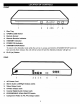


CONNECTING THE DVD TO A TV USING THE AUDIO/VIDEO OUTPUT JACKS
To
Audio Cable (Includod)
Video Cable (included)
V_dc,_OUt
CONNECTING THE DVD TO A TV USING THE S-VIDEO OUTPUT JACK
lo 1o _ V_rteo IN
e£_**,_ Audio Cable (Included) y J
S-Video Cablo _Not Included)
® [_ @@@
NOTES FOR CONNECTING TO A TV:
• If your TV has a component input, connect the DVD player with the component cable for best results, otherwise use the
S-Video or Video Out jack on the DVD player.
• Set the TV's TV/VIDEO button or switch to the VIDEO setting.
• When connecting the DVD, refer to the owner's manual of the TV, as well as this manual.
• When connecting the DVD to the TV, make sure the power is off and both units are unplugged before making any connections.
• If your TV only has one audio input, the use of a "Y" connector may be necessary. Visit your local electronics supply store.
• Connect the DVD player to your TV directly. If you connect the DVD player through a VCR, the playback picture will be
distorted because DVD video discs are copy protected.
• After connecting, press the AUDIO MODE button to the desired audio setting. (Please refer to AUDIO MODE on page
t9.)
9