
User`s manual


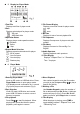


1 Front Panel
1 Power Switch
Press this switch to turn power on or off.
2 Phones (Volume)
Turn this knob to control earphone output level 9.
3 Mic. (Volume)
Turn this knob to control microphone output level10.
4 Liquid Crystal Display (LCD)
Displays operation status and system information.
5 Clipping
In recorder mode, clipping LED lights if audio input
level exceeds 0dBV. Refer to 4 - 2 for details.
6 Number Keypad (0 ~ 9)
Select a function from 13 and use keypad to enter
file number for direct file playback, program play
editing or file deleting.
7 Line In Attenuator
In recorder mode, if line-in level clips, rotate this
knob to attenuate source level. Refer to 4 - 2 for
details.
8 Parameter Setting (Encoder)
Press encoder to select an item and shuttle to set
parameters as follows:
REC. GAIN: Recording gain / 0 dB ~ + 24 dB‧
SPEED : Playback speed / ‧ -8x ~ +4x
CHAPTER : Auto chapter / Disable → 5 min → 10 ‧
min → 15 min → 20 min → 30 min → 40 min → 50
min → 60 min → 90 min → 120 min.
S.A.R. (Sound‧ -Activated Recording):
→ Audio level > -30dB, recording activates.
→ Audio level < -30dB + preset time, recording
stops.
Preset Time: Disable → 1 sec ~ 30 sec.
9 Phones
This output accepts a 1/4" (6.3mm) earphone to
monitor mixed audio output.
10 Mic.
This input accepts a typical 1/4" (6.3mm) TS
1 USB Slot
1
This port accepts a USB flash drive up to 16G to
operate.
12 SD Card Slot (SDHC)
This port accepts an SD memory card up to 16G to
operate.
13 Function Buttons
A ‧ - B:Segment Repeat / Refer to 9 - 1 for details.
REPT‧ :Repeat Play Mode / Refer to 3 - 4 / 5 - 4.
PROG‧ :Program Play / Set to play files by edited
playlist. Refer to 8 - 1 ~ 8 - 5 for details.
RATE‧ :Recording Rate for SD cards / Refer to
4 - 3 for details.
TIME‧ :Time Display for "Elapsed Time" or
"Remaining Time."
PLAYER MODE‧ :Press to enter player mode.
Refer to P.6 for operation details.
REC MODE‧ :Press to enter recorder mode.
Refer to P.5 for operation details.
REC‧ :Press to start recording. Refer to P.5 for
details.
DEL‧ :Press to delete a file at a time. Refer to 4 -
9 for details.
MEMORY‧ :When recording, press to display
"Remaining Memory" & "Remaining Rec. Time".
14 USB / SD
If both SD card & USB drives are loaded, press this
button to select one source to operate.
15 Playback Controls
:Play / Pause / Press to play or pause.
:Stop / Press to stop or exit program play.
:Previous / Press to skip to previous file.
:Next / Press to skip to next file.
16 Line Out Level
Turn this knob to control mixed audio output level
unbalanced dynamic microphone.
- 3 -