
User manual




5
B. Description of key control :
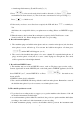
Record key: push the key to record.
Play/Pause key:
Push the key to play; Push it during play will pause playing, push it again to resume.
Stop key:
Push the key to stop or cancel motions, ex: record, play, delete...
Mode key:
A mode key to provide more functions, will introduce the functions on next page.
Track down select key:
Press the key once to select the next number; Hold down the key to move track
number quickly.
Track up select key:
Press the key once to select the previous number; Hold down the key l to move
track number quickly.
A - B repeat key:
Press the key during playing to indicate the repeat starting point (A
point), then press the key again to indicate the repeat ending point (B point). Then
the music will play from A to B points again and again until you press the key again
to stop
Repeat key:
Press the key during playing, the track will repeat always. If you press the key
twice, the machine will repeat all the tracks. Press the key again to cancel repeat.
Rewind key:
Hold down the key to rewind playing.
Forward key:
Hold down the key to forward playing.
C. Description of MODE Key:
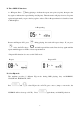
The MODE key is used to provide more functions. To operating MODE function, push MODE
key at first, the LCD will show MODE, please press the other function key immediate to operate
the MODE function.
Followings are the description of MODE functions:
Installed microphone selection function: it can turn on/off the install
m
icrophone to record.
LINE IN select function: it can turn on/off the LINE IN as record source.
EQ select function.
V
OC or MP3 mode select function: before record/play,you must select to enter
V
OC or MP3 mode.
D
elete files inside flash memory or SD memory card.
F
lash memory o
r
SD memory card selection function