
User manual





10
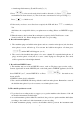
Select EQ mode
VI. How to delete files
You can delete the stored files by computer, or by the machine itself. Following is the way to delete by
the machine itself.
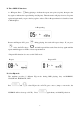
Select the track no. to delete, press , the LCD will show "d EL". You need to press
again, then the machine start to delete the track. When the "d EL" is disappear and the clock
return to 0:00:00, means the track is empty and are able to record new data again.
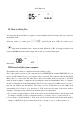
Delete data
VII.Download files from computer
The machine may connect to computer and download music to play.
First, if the operation system of your computer is below WINDOWS 98 (include WINDOWS 98), you
need to install USB driver into your computer before download. The computer will take the Digital
Music Tutor as a removable disk when they connect successfully, then you can start to download
music from the computer, or duplicate the recording files from the Digital Music Tutor to computer.
As the recording files from the Digital Music Tutor has been compressed to MP3 format, it is easy to
play the file without any transference. The music you has downloaded stores into MP3 mode
automatically. If you want to store the music to VOC mode, the file name of the music shall be
changed to following format, otherwise the machine can not recognize them.
a. If you want to download music to VOC mode, and store into the flash memory, the file name shall
be change to: M_INT_xx.mp3 (xx means the track no. you want to store to, ex. 03 is track no. 3)
b. If you want to download music to VOC mode, and store into the SD card, the file name shall be
change to: M_EXT_xx.mp3 (xx means the track no. you want to store to, ex. 03 is track no. 3)