
User`s manual


39
14. HOW TO UPDATE THE LATEST SOFTWARE THROUGH CD
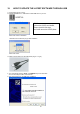
1. Please burn the latest firmware (ISO file) to empty CD with IMAGE RECORDING (Not just copy!).
2. Turn on DVR and insert CD for update.
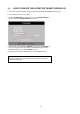
3. Go into SYSTEM SETUP menu and place cursor on FACTORY DEFAULT.
(Please do not enter FATORY DEFAULT at this time)
4. Hold to remain pressing ‘PLAY + SEARCH’ keys and then press ENTER key.
DVR will recognize CD and automatically renter EEPROM upgrade stage.
(Entered this stage you can release ‘ENTER’ key only)
5. Upgrade will be progressed and please follow the message from DVR.
Note!
DVR which have V1.02 is NOT available with CD upgrade. In this case,
please use USB update.