
User`s manual

27
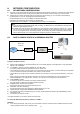
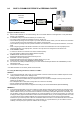
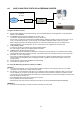
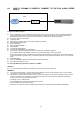
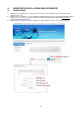
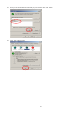
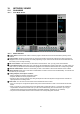
z After log-in, please click ‘DVR Add’ to register your DVR unit.
z Setup DDNS function on DVR. Refer to ‘6.6 EXTERNAL DEVICE > TCP/IP SETUP > DDNS SETUP’.
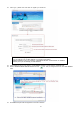
z Back to JPEG2000 DDNS SERVER website and click ‘ ‘ icon. Then you will get the ‘IP Port’ and ‘Latest Modified’
data.
z Now DDNS setup at DVR and registered on the web is finished.
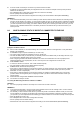
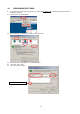
z How to identify my Mac Address?
You can indentify your own Mac Address on your DVR unit as follows.
MENUENTER (or input your password) EXTERNAL DEVICETCP/IP SETUPIP CONFIG
SETUP (Then you can indentify your Mac Address)