
Operation Manual






6
Wi-Fi
Turn on Wi-Fi
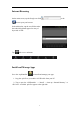
Within the App Panel, tap “Settings” → then “Wireless & networks” → “Wi-Fi” to
turn on and scan. Tap a network to connect. If necessary, enter Network SSID,
Security, and Wireless password. When connected to the network, the wireless
indicator appears in the status bar.
Turn off Wi-Fi
To turn off Wi-Fi, uncheck “Wi-Fi” under “Wireless & networks”.
NOTE: Turning off Wi-Fi can extend battery run time.