
User guide






Matrox EpicA Series – User Guide 7
Connection setup
This section describes how to connect your monitors to your Matrox product.
Connector overview – EpicA TC2 and EpicA TC2-Lite
* Supported with EpicA TC2-Lite and EpicA TC2 only. TV output adapters are sold separately (see http://shopmatrox.com).
Connector overview – EpicA TC4
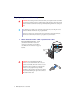
Dual-monitor cable
(LFH60-to-DVI)
DVI-to-HD15 adapter
DVI-to-HD15
adapter
Secondary DVI
connector (2/4)
Main DVI connector (1/3)
TV output
adapter*
Composite
video
connector
S-video
connector
Quad-monitor cable
(KX20-to-DVI)
DVI-to-HD15
adapter
Main DVI connector (1/5)