
User guide




28
Chapter 4, Configuring Matrox Convert DVI
¡ Important To ensure good output results, make sure that your genlock
source’s video format is compatible with the Convert DVI video output
format.
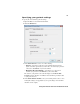
5 Under Advanced Settings, drag the Horizontal Delay and Vertical Delay
sliders to adjust the horizontal and vertical timing of the Convert DVI’s
video outputs with respect to your genlock source. This lets you compensate
for cable delays within your system. Click the button to return a slider to
its default position.
6 Click Apply for your settings to take effect.