
Installation Guide


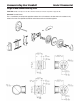


ENCODING
Disk Set to Formula Combination
The disk that contacts the dial
1
38
Align with Dial Index
38
3
The middle disk
2
Second number minus 1.
Then subtract third number
if less than zero, add 50 until
between 0 and 49.
25
2
The disk that comes out first
3
Add set positions for disks
1 and 2 plus 6. Subtract
that from combination 1. If
less than zero, add 50 until
between zero and 49.
18
1
ENCODING
Disk Set to Formula Combination
The disk that contacts the dial
1
38
Align with Dial Index
38
3
The middle disk
2
36
Second number minus 1.
Then subtract third number
if less than zero, add 50 until
between 0 and 49.
25
2
The disk that comes out first
3
Add set positions for disks
1 and 2 plus 6. Subtract
that from combination 1. If
less than zero, add 50 until
between zero and 49.
18
1
There are some mechanical limitations that result in forbidden combinations:
• Disk2mustbeseton2thru47aspositions0,1,48and49donotexist
• Disk3cannotbeseton0,1or49asthosepositionsdonotexist
The example below will calculate the drive disk and fly locations for a new combination of 18-25-38. The first step is to
write the combination into the worksheet and automatically set the drive disk to the third number.
To calculate the fly location for disk 2 we must take the second number of the combination and subtract 1. For the example,
that is 25 – 1 = 24. Then the third number also should be subtracted from that answer: 24 – 38 = -14. Because that answer
isn’t between 0 and 49, we must add 50 until it is: -14 + 50 = 36. The answer is the location of the fly on disk 2 and should
be written in the worksheet.
14