
User manual






21
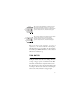
During auto trig mode, the associated indicator in the
LED display will blink at the trig rate.
Sending manual trig pulses
To send a single trigger pulse press 0DQXDO. This may
be used on its own, with no function selected, or to
supplement sound-activated triggers.
BLACKOUT
Press %ODFNRXW to black out the fixtures.
Press %ODFNRXW again to restore the light output.
STROBE
To interrupt the current scene and strobe all the
fixtures, press and hold 6WUREH. Normal operation
resumes when the key is released.
Note that this function is not available if a selection is
blinking in the LED display; in this state the button
functions as (QWHU. For more information
see“Selecting sequences for execution” on page 18.
Auto
Trig
Music
Trig