
Owner`s manual




16 EN
CONNECTIONS
Connect a 3.5mm stereo audio cable(not supplied) to the MP3 LINE-IN jack on this unit and the headphone jack
on your portable media player.
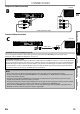
1 Connect the supplied FM wire antenna to the FM ANT 75Ω jack on this unit.
2 Extend the FM antenna and fix its ends to the wall for optimum reception.
Connecting Portable Media Player
MP3 LINE-IN
OPEN/CLOSE
STANDBY/ON
STOPVOLUM E
PLAY SOURCE
SD CARD MP3 LINE-IN
MP3
No supplied cables are used in this connection:
Please purchase the necessary cables at your local store.
Note
• To playback the audio from your portable media player, refer to “Play from Portable Media Player” on page 34.
Connecting FM Radio Antenna
SPEAKERS(4Ω)
SUB-
WOOFER
FRONT
CENTER
REAR FRONT
HDMI OUT
AUDIO IN
AUX
DIGITAL
AUDIO IN
COMPONENT VIDEO OUT
FM
ANT
75Ω
Pr Y
Pb
VIDEO OUT
FM
ANT
75
Note
• For better FM stereo reception, connect an external FM antenna (not supplied).
• Place the antenna away from your TV, VCR or other radiation source to prevent any unwanted interference.
• For FM radio playback, refer to “Radio Operations” on page 35.