
User manual




TO TV
OUTPUT
OUT
Cable Box
CABLE OR ANTENNA
=IF
@
ANTENNA
AV3 J HDMI _lt"
CABLE VDI
AV2 AV1
O
® ff.%,o0o
Cable box
Note: Video In signal input can be handled by
AVL AV3 as well
Watching cable TV programs that don't
require the use of a cable box.
Since you've connected the cable TV signal
directly to the TV's tuner, you can also watch
unscrambled programs by simply tuning to
the desired channel: however, you must first use
Auto program to store available channels in the
TV's memory. (p. 13)
Note: Thisconnection will supply stereo sound to t_e
TV ir the station you are v_ew_n_broadcasts stere_
sound
- Cable TV
Connect the cable TV signal to the CABLE/
ANTENNA 75 _ "_r jack at the bottom of the TV.
See page 14 for details on using Autoprogram to store
channels in the TV's memory.
Note: This connection will supply stereo sound to the TV if
the station you are viewing broadcasts stereo sound.
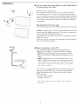
= Cable box with RF INIOUT
• Connect the incoming cable TV signal to the cable IN
jack O on the back of the cable box.
• Connect a coaxial cable (not supplied) from the TO TM
jack on the back of the cable box to the CABLE/
ANTENNA 75 _ _r- jack O at the bottom of the TV.
Note: Your cable box may have a different label for the TO
TV jack. Commonly used labels include OUTPUT or OUT.
• Set the OUTPUT CN switch (_) on the cable box to CH
3 or 4 (whichever is correct for your cable box), Next,
tune the TV to the corresponding channel. Once
tuned,change channels using the cable box, not the TV.
Note: This connection will not supply stereo sound to the TV. The
reason is that the RF output on a cable box ._labeled TO T_ OUT
or OUTPUT for example ,_will not send a stereo signal to the tuner
(VHF/UHF) input on a TV.
- Cable box with A/V outputs
• Connect the incoming cable TV signal (_) to a signal
splitter (not supplied). The signal splitter enables you to avoid
having to use the TO TV jack on the back of the cable box.
This jack will not supply stereo sound to the TV.
Note: Your cable box may have a different label for the TO
TV jack. Commonly used labels include OUTPUT or OUT.
• Connect a coaxial cable (not supplied) to a connector on
the signal splitter and to the CABLE/ANTENNA 75
-_r- jack O on the TV.
• Connect another coaxial cable (not supplied) to a
connector on the signal splitter and to the cable IN jack (_
on the back of the cable box.
• Connect A/V cables (not supplied) to the VIDEO and
AUDIO L and R outputs on the back of the cable box
and to the AV2 video (labeled VIDEO) and AUDIO
(labeled L and R) jacks ® on the back of the TV.
• To view programs from your cable box, first press the
AM button on the remote control.
• Press the cursor down or up buttons until the AV2 signal
source is selected.
• Press the OK button to confirm your selection. The AV2
input source becomes current for the viewing of cable TV
programs through your cable box.
Note: If your cable box audio/video outputs do not supply
video and stereo audio to the TV, you will need to make the
connection shown above in "Cable box with RF INIOUT.