
User manual


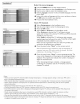


Settings
Preferences Reset AV settings i
_nfo
Reset AV settings
This function allows you to reset most of the picture and sound
settings to their default factory levels.
@ Select Reset AV settings with the cursor down key.
I_ Press the cursor right key.
Press the OK button to erase settings and reset them to their
default values.
Settings
Setup Source
_nf0
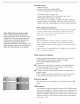
Source
This menu allows you to identify the accessory devices you have
connected to the external inputs/outputs.
o
o
o
Select Source in the Setup menu.
Press the cursor right to enter the list of types of devices
connected to the selected input.
Select the accessory device with the cursor up/down.
When you select AVI, AV2, AV3, HDMII, Side or Analog Audio
In, a list appears allowing you to identify which type of accessory
device is attached to this input. The TV detects the presence of
the connected device and the signal is routed appropriately.
Analog Audio In
If your accessory device has a DVI output connectoc only the
video signal is transmitted in digital format. To input an audio
signal, please connect the analog audio L and R outputs to the TV's
L and R AVI audio input plugs. To activate the audio function,
select HDMI from the Analog Audio In menu to activate.
I**-S] ,,o
DI _ O
AV1
HDM!
AVh Dr|
Audio LIR
Digital Audio Out
In addition to accepting audio input through HDMI, the TV can
output Digital audio through the DIGITAL AUDIO OUT
(SPDIF OUT) connector to an external amplifier or receiver.
If your amplifier or receiver has a matching connector for Digital
Audio In, you can connect it with a single cable to the TV's
DIGITAL AUDIO OUT (SPDIF OUT). See Connect
Accessory Devices, Digital Surround Receiver, p. :29.
18