
User manual




Settings
Preferences Menu preferences
i_nf0
NOte: EmergencyAiert Signallingis not #OSsibte-
-with analoguevideosources,
-You always have the possibilityto remove the
messagefrOmthe screen:
-The messagedisplay wil! Overlapwhatever
menu element or other mesSageis on the
screen.
}mportant: you hove [orgotten your PIN!
0 Select Change PiN in the Menu preferences
menu and press the cursor right key.
O Pressthe cursor right key to enter the
overriding PIN code O-7-I-I.
O Pressthe cursor again and enter a new
personal 4-digit PIN code. The previous
code is erased and your new PIN-code is
stored_
Menu preferences
OSD
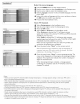
O Select OSD.
Press the cursor right key to select Normal or Minimum.
Normal activates a continuous display of the channel number
for a maximum of I0 minutes and extended display of TV
channel and program information on screen. For example,
information on the main or auxiliary program, input signal quality
of connected accessory devices, the display format, sound mode,
availability of Closed Caption service, the audio language, the
rating, sleep timer setup is displayed.
Minimum activates the display of reduced channel information.
Note: W'hen Closed Captions is switched on, continuous display of the
channel number and dock is not possible.
Show emergency alerts (EAS)
This allows you to select the alert priority level of the information
disseminated by the cable operator. The standard SCTEI8 defines
an Emergency Alert signalling method for use by cable TV
systems to signal emergencies to digital devices such as digital
set-top boxes, digital TVs and digital VCRs.
The Emergency alert signalling scheme defined in the standard
allows a cable operator to disseminate emergency alert
information related to state and local-level emergencies and
warnings in a cost-effective and efficient way, while minimizing
disruption of programming.
An Emergency alert message will have one of the following
priorities: Low, Medium, High or Maximum.
The Emergency alert message with priority High or Maximum
will always be presented. Low or Medium will be present or
ignored depending on the setting you select.
Important: When the TV clock is undefined (See Setup menu, Clock,
p. 19), the Emergency Alerts will be ignored.
0
0
The Emergency Alert message display will contain following
information:
- The Emergency Alert text
- The start time + date
- The end time + date.
Select Show Emergency Alerts in the Menu preferences menu.
Press the cursor right key and select one of the Emergency alerts
options:
- Always: You always want available Emergency alert messages to
be displayed;
- Skip low priority: You want low level messages to be ignored;
- Skip low/medium priority: You only want the high priority
message to be displayed.
Set/Change PIN
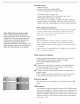
O Select Set or Change P|N with the cursor down.
If no PIN-code exists, the menu item is set to Set PIN.
Follow the instructions on screen. If a PIN-code has previously
been entered, the menu item is set to Change PIN. Follow the
instructions on screen. All number combinations from 0000 to
9999 are valid numbers.
O The Menu preferences menu reappears with a message
confirming that the PIN has been created.
17