
User manual


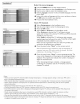


Settings
Preferences Features preferences
Info
Digital caption service
This allows you to configure the way you choose to view digital
captioning.
Select one of the digital service channels made available by the
caption providen
There are six standard services. Service I is designated as the
Primary Caption Service. This service contains the verbatim, or
near-verbatim captions for the primary language being spoken in
the accompanying program audio.
Service 2 is designated as the Secondary Language Service.
This service contains captions in a secondary language, which
is a translation of the captions in the primary Caption
Service. The other service subchannels are not pre-assigned.
It is up to the discretion of the individual caption provider to
utilize the remaining service channels.
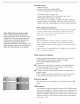
Digital caption options
This allows you to modify how digital captions are displayed on your
TV. Select from the following options to change the visual
characteristics of your TV's digital captioning.
• Reset to default
Select this option to reset the digital caption options to the
captions provider default settings.
Press the OK button to confirm.
• Size
Select this option to choose a caption display size according
to your own preference. Select Default (Automatic),
Small, Standard or Large and press the OK button to
confirm.
• Style
Select this option to choose a caption display font style
according to your own preference. Select Default, Mono
spaced serif, Serif, Monospaced sans serif, Sans serif,
Casual, Cursive or Small caps.
• Text
Select this option to choose caption display text box, text
color and/or the opacity according to your own preference.
Select a color and an opacity option.
• Background
Selectthisoptionto choose captiondisplaycharacterback
ground coloror one ofthe backgroundopacityoptions
accordingto your own preference.Selecta colorand one of
the opacityoptions.
16