
User manual




nstalladon_
Settings Installation
Info
Settings
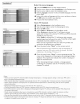
Installation Autoprogram
Info
TeUevision Installation
insta!lation mode
0 Previous _ Next .... @
Select the menu language
O Press the MENU button on the remote control.
Use the cursor down to select Installation in the Settings menu.
Use the cursor right to enter the Installation menu.
Select Language and enter the list of available languages with the
cursor right.
Select your preferred language with the cursor up/down and press
the OK button to confirm you selection.
0 Proceed with the Installation menu.
Store TV channels
Select Autoprogram in the Installation menu.
Use the cursor right to enter the Autoprogram menu.
O Press the OK button.
_1 Select Cable or Antenna in the Installation mode.
When Antenna is selected, the TV will detect antenna
signals and will search for antenna TV (NTSC and ATSC) channels
available in your local area.
When Cable is selected, the TV will detect cable company
supplied signal sand will search for cable TV (NTSC, ATSC, QAM
modulated) channels available in your area.
Make sure that registration with your cable TV provider and
connection of equipment are completed.
O Press the green button "Next" on the remote control.
Note: All channels must be unlocked in order to autoprogram. If
requested, enter your PIN code to unlock all channels. SeeMenu
preferences in the Settings, TV menu, p. 17.
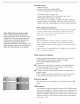
O Press the green button "Start" to start autoprogramming. The
menu screen disappears and the progress of autoprogramming is
displayed. The progress bar indicates the number of analog and
digital TV channels found.
When Autoprogramming is complete, a message appears
confirming the completion and the TV switches to the first
installed TV channel.
Notes:
o When you have locked TV channels Derare inidatin_ Autoprograrno a message appears asking m ent:eryour PIN coae m
order to corn,)/ete Autopr :_rarnmmg.
<TSC channel infbrrnation is updated autornaticalkv when the TV is m standb_ after 3 minutes aria every 3 hour_ theree _ter.
, When channel update is interrupted, the new updated channel information _sretained abn_ w_th _:heold unoupdatec
channel inforrnauon
o background Autoprogramm_ng occurs onl/when the TV B turned on
, Channd informa_ion about an ATSC channd _supdated oniy fat the ATSC channel currend_ tuned.
o if an NTSC channel B tuned then in Background Autoprograrnrnm_ the TV shall scan al_the possibleATSC _equenoes
an_ uyate m_rrnation
o Weak channel installation allows you to manu _}, tune wea_.A FSCchannels in order to adjust the antenna and thus
optimize sxgnalc_uality_r that channel. {See Installation menu Weak channel installation, p 14_
o Once you have searched for the available Antenna as well as the Cable Tv channds, they are stored in the rnemor,.
o If Antenna/cable s_gnalis interrupma more than ten minutes. TV will go in_ooffmode Youare requested to brass Power button
or CN A / v button to turn on the TV
13