
User manual




,Buttons on the top of theTV ,)
z
iii_ i_ bl
iiiiiiiii
Should your remote be lost or broken you can still change some
of the basic settings with the buttons on the top of your TV.
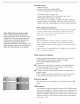
Press the power switch ® to switch the TV on.
Press:
•the + MOL -button to adjust to volume;
•the + CH -buttons to select the TV channels or
sources.
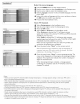
The MENU button can be used to display the Settings menu
without the remote control.
Use:
•the + VOL - buttons and the + CH -
buttons to select menu items in the directions as shown;
•the + VOL button to confirm your selection.
Note:
When a menu is activated through the MENU button on the top of
the T_ a menu can be closed only by navigating to Exit and pressing
the MENU button.
II