
Specifications




257
Settings
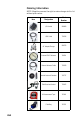
To run a setting module from the ProMark3 workspace screen,
double-tap the Settings icon and then double-tap the icon you
want to run. You can only run one setting module at a time.
Backlight control
See Backlight Control on page 246.
Bluetooth Manager
The ProMark3 is equipped with built-in Bluetooth technology
that allows short-range connections to other Bluetooth-en-
abled devices such as a cell phone or MobileMapper Beacon.
Use theBluetooth Manager to find, configure and establish
connections to other Bluetooth devices.
For more information, refer to Bluetooth Manager Module on
page 190.