
Specifications





255
GPSInit
This utility is in fact used when first using your ProMark3. Re-
fer to Initializing GPS on page 30 in this manual or to the
ProMark3 Getting Started Guide.
GPSReset
This utility allows you to re-apply the default settings to the
GPS section of the ProMark3. When you tap Cold Reset,
ProMark3 clears such data as almanac and iono data, etc.
used by the GPS section.
You usually need tu run a cold reset after installing new firm-
ware or software in your ProMark3.
AutoLoader
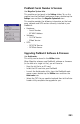
Refer to Upgrading ProMark3 Software & Firmware on
page 251.
Tests
Refer to Testing ProMark3’s Internal Peripherals on page 249.
Radio Configuration
This utility is used to set the radio modem connected to the
ProMark3 RTK.
The Magellan radio modems being plug-and-play units, you do
not normally have to change their settings. However, you may
want to change the radio channel to get rid of a possible jam
-
ming signal.
When you launch the Radio Configuration utility, the message
“Please wait while detecting radio...” is displayed for a few