
Specifications






251
ProMark3 Serial Number & Versions
Use Magellan System Info.
This module can be found in the Settings folder. To run this
module from the ProMark3 workspace screen, double-tap the
Settings icon and then the Magellan System Info icon.
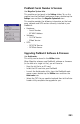
This module provides the following information on the hard-
ware, software and GPS section currently installed in your
ProMark3:
• Hardware:
- Serial Number
- BT MAC Address
• Software:
- OS F/W Version
- EBoot Version
•GPS:
- GPS F/W Version
- GPSData Server.
Upgrading ProMark3 Software & Firmware
Use AutoLoader.
This utility can be found in the Utilities folder.
When Magellan releases new ProMark3 software or firmware
(in the form of a single txt file), you will have to:
- Copy the txt file to an SD card
- Insert that SD card into your ProMark3
- Launch the AutoLoader utility: from the ProMark3 work-
space screen, double-tap the Utilities icon and then the
AutoLoader icon
- Select the TXT file you need to load and then let the Auto-
Loader utility complete the upgrade for you.