
Specifications




216
NTRIP
Warning! Using NTRIP requires that you have previously fol-
lowed the entire procedure described in Step-by-Step Proce-
dure for Establishing a GPRS Connection Via Bluetooth on
page 198.
Important Notice! Once you are familiar with the GPRS connec-
tion procedure described on page 198, you don’t need to ac-
curately follow this procedure. Instead, make your Bluetooth
and GPRS connections directly from within the DGPS Config
-
uration utility, using the following buttons located on the
NTRIP Settings window:
- for Bluetooth Manager
- for GPRS
Assuming the GPRS connection is now active, do the follow-
ing to implement the NTRIP DGPS mode:
- On the ProMark3 RTK workspace screen, double-tap the
DGPS Configuration icon.
- Tap on the Select Mode button.
- In the Select Differential Mode window, enable the NTRIP
option.
- Tap OK. The first time you select NTRIP, the message No
NtripCaster specified appears.
- Tap OK to close the message window. This opens the
NTRIP Settings window from which you can store several
NTRIP configurations. [With an already active GPRS con-
nection, note that the Bluetooth and DialUp fields have
been filled in accordingly.]
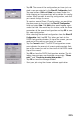
- Tap . The NtripCaster Connection window opens in
which you can store several NTRIP configurations.
Each NTRIP configuration holds the key information
allowing ProMark3 RTK to connect to a given NTRIP
caster. Having the capability to save several NTRIP config
-
urations in ProMark3 RTK will therefore allow you to
quickly change the NTRIP caster without having to re-
enter the relevant connection parameters each time you
do that.