
Specifications




208
Disconnecting GPRS
You may want to disconnect the GPRS connection. Follow the
instructions below to do this from the ProMark3 RTK:
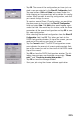
1. Double-tap the Network and Dial-up Connections icon.
2. Tap on the icon representing the currently active GPRS
connection.
3. Do one of the following:
- Tap in the menu bar (top of the screen).
-Or Tap Connection in the menu bar (top of the screen)
and then select
Disconnect. This instantly cuts off the
GPRS connection.