
Specifications





191
Bluetooth Range
The maximum range in class 2 devices is 10 meters (30 feet)
typically. A minimum distance of about 60 cm (two feet)
should be observed between any two Bluetooth-enabled devic
-
es.
First Steps with Bluetooth Manager
Starting Bluetooth Manager
- Double-tap the Bluetooth Manager icon located on the
ProMark3 workspace or in the Settings folder. The Blue-
tooth window appears on the screen after a few seconds.
For a quick overview of the functions accessible from the
Bluetooth Manager toolbar, please refer to the table in
Bluetooth Manager Toolbar Memo on page 197.
Minimizing/Maximizing the Bluetooth Window
- Tap in the upper-right corner. This minimizes the Blue-
tooth window (but Bluetooth is still running).
- To re-open the Bluetooth window, double-tap the Bluetooth
Manager icon located on the ProMark3 workspace or in the
Settings folder.
Turning Off Bluetooth
- You can only turn off Bluetooth Manager by turning off
ProMark3.
Detecting Bluetooth-Enabled Devices
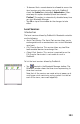
Use the following two buttons to let ProMark3’s local Blue-
tooth controller detect the Bluetooth-Enabled devices present
nearby: