
Specifications






106
In this case, press the LOG key, which here is different
from tapping the on-screen Log button, and then review
and correct if necessary the following parameters:
- Site ID: Enter a name for the 1st point to be sur-
veyed
- Site Description: (Optional) Tap inside the field and
enter a narrative description of the point (20 char-
acters max.). Then press the ENTER key, or tap
on the on-screen keyboard, to validate the content
of this field.
When several Site Descriptions have previously been
defined, you can quickly retrieve these by tapping the
left arrow to the right of the field. The list of existing
descriptions then appears in which you can tap the
desired one. This automatically sets the Site Description
field on the Survey Settings screen.
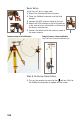
- Antenna Height: After bar initialization, you need to
enter the new height of the rover antenna as it is
now located on top of the pole. After initialization
on known point, you should not have to change this
parameter.
- Initialize: Check that <None> is now selected.
- Time on Site: Enter the occupation time needed on
each point that you will survey (typically 15 sec
-
onds).
If you have selected <None> as the initialization method,
skip step 9.