
User manual




9
The desktop software enables the creation of game-specific profiles for your favourite games and apps.
Profiles consist of keyboard key and mouse button presses that are then mapped to the additional controls on
a product. For example, for a game like Battlefield, you can set commands like Throw Grenade, or Melee Attack
to the additional RAT buttons to make is faster and easier to carry out these actions in-game.
Once the profile has been made, it can be linked to the corresponding game or application. So that, when the
program or game window is in focus, the profile is automatically activated on the product.
FLUX is also fully compatible with commonly used cloud storage services. For example, you can link the Drop
Box folder on your PC to the profile folder within FLUX. This means that you can easily back-up your profiles,
and quickly access them on different PCs.
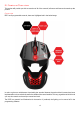
The following controls on the RAT1 can be programmed:
• Right RAT button
• Scroll Wheel Up
• Scroll Wheel Down
• Scroll Wheel Click
• Browser Forward
• Browser Back
Before you begin:
Both the driver and software applications for the product need to be installed.
User profiles are stored in Public\Documents\Mad Catz\RAT1 folder. They are not stored in the device
itself.
Profiles are stored as .pr0 files and can be transferred to other computers that have the drivers and
software installed.